I Got Tired of Manually Optimizing Assets Before Every Deploy - So I Wrote a Bash Script
By Nitin Rawat · Web Developer
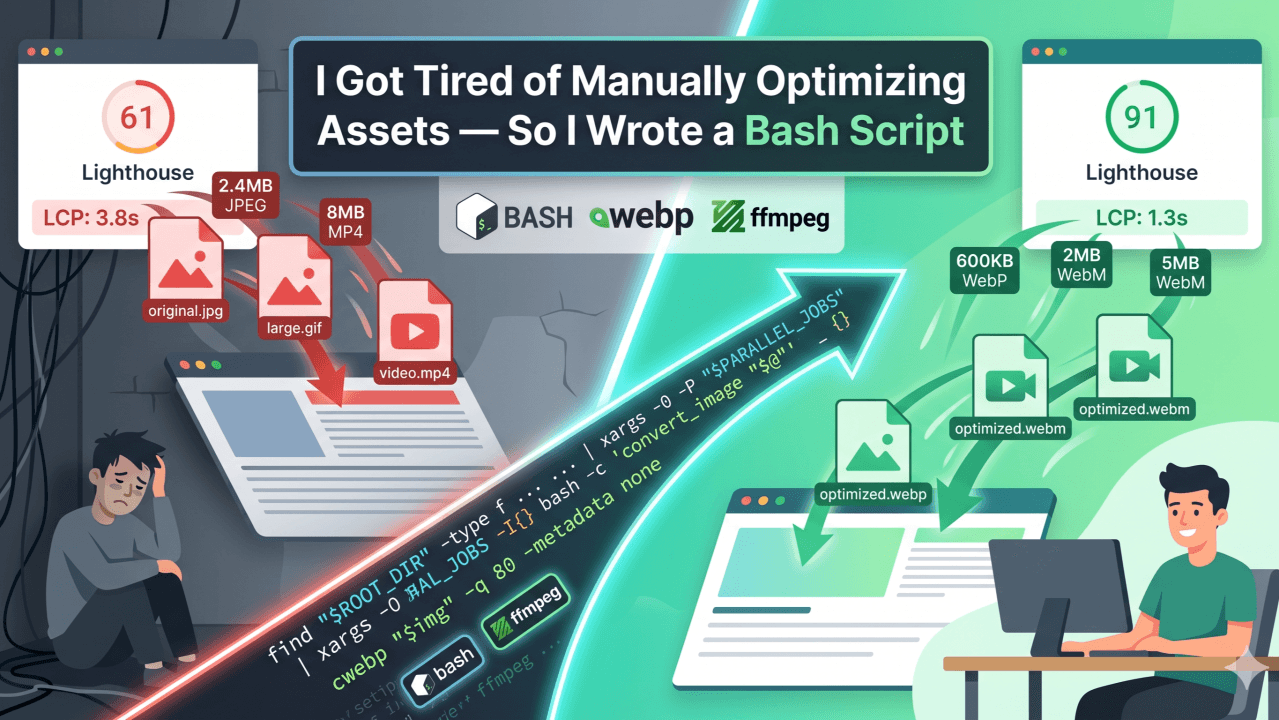
TL;DR: A production-ready bash script that automatically converts PNG, JPG, JPEG → WebP and GIF, MP4 → WebM using cwebp and ffmpeg. Parallel processing, dry-run mode, smart skip logic, and optional deletion of originals. Works for any project, any workflow.
Problem I've Faced and Solution i came up with
I've spent hours compressing images online as well as local tools, but that are still manual work and in online tools they always limit or change the file name and if not they work slow and i have to manually delete the old images.
Because that 4MB JPEG you dragged in from Unsplash three weeks ago is still sitting in /public, unoptimized, blocking your LCP.
We've all been there.
The standard advice is: "just optimize your assets." But what does that actually mean ?
- Convert PNG/JPG → WebP manually using an online tool
- Run ffmpeg from memory, forget the flags, Google them again
- Hope the designer didn't drop in 6 new images overnight
- Repeat every single deploy
It's a boring, repetitive, easy-to-forget taks that later hurt you on every project you ship.
So I made something for this so i can save my time, By building this bash script.
What This Script Does
A single bash script - assetsCompress.sh - that does the following:
- Converts all PNG, JPG, JPEG → WebP at quality 80 using cwebp
- Converts all GIF → WebM (VP9, silent) using ffmpeg
- Converts all MP4 → WebM (VP9, optional audio via libopus) using ffmpeg
- Runs conversions in parallel (configurable job count)
- Skips already-converted files - safe to re-run anytime
- Optional dry-run mode - preview what would happen without touching anything
- Optional deletion of originals after conversion
- Dependency check at startup - tells you exactly what's missing and how to install it
This is not a Next.js utility or project specific. This works on any directory - a media folder, a design exports, a video production archive, your own downloads folder, Anywhere you have assets that need to be smaller.
Why WebP and WebM?
Before diving into the code, here's why these formats matter:
WebP format is lot smaller then PNG/JPG/JPEG, WebM format is also lot smaller then GIF/MP4 , while maintaing approx same quality
For Core Web Vitals, LCP and TBT are directly impacted by asset weight. Smaller assets = faster paint = better ranking signal.
The Full Script
#!/usr/bin/env bash
set -euo pipefail
# ======================================================
# CONFIGURATION — edit these for your project
# ======================================================
ROOT_DIR="public"
PRESERVE_AUDIO=true
PARALLEL_JOBS=8
# ======================================================
DELETE_ORIGINALS=false
DRY_RUN=false
# ── Parallel-safe counters ─────────────────────
COUNTER_DIR=$(mktemp -d)
export COUNTER_DIR
mkdir -p "$COUNTER_DIR"/{run,skip,del,fail}
trap 'rm -rf "$COUNTER_DIR"' EXIT
counter() { mktemp "$COUNTER_DIR/$1/XXXXXX" > /dev/null; }
export -f counter
# ──────────────────────────────────────────────────────
# -----------------------------
# Dependency checks
# -----------------------------
check_deps() {
local missing=false
for cmd in cwebp ffmpeg ffprobe xargs; do
if ! command -v "$cmd" >/dev/null 2>&1; then
echo "[ERROR] Missing dependency: $cmd"
missing=true
fi
done
if [[ "$missing" == true ]]; then
echo ""
echo "Install missing tools and re-run."
echo " macOS: brew install webp ffmpeg findutils"
echo " Debian: apt install webp ffmpeg"
exit 1
fi
}
# -----------------------------
# Argument parsing
# -----------------------------
for arg in "$@"; do
case $arg in
--delete) DELETE_ORIGINALS=true; DRY_RUN=false ;;
--run) DRY_RUN=false ;;
--jobs=*) PARALLEL_JOBS="${arg#--jobs=}" ;;
esac
done
check_deps
# Export after arg parsing so subshells get the final values
export DELETE_ORIGINALS DRY_RUN ROOT_DIR
echo "=============================="
echo " Asset Compression Pipeline"
echo "=============================="
echo "Root: $ROOT_DIR"
echo "Dry run: $DRY_RUN"
echo "Delete originals: $DELETE_ORIGINALS"
echo "Preserve audio: $PRESERVE_AUDIO"
echo "Parallel jobs: $PARALLEL_JOBS"
echo ""
# -----------------------------
# Helper: maybe_delete
# -----------------------------
maybe_delete() {
local file="$1"
if [[ "$DELETE_ORIGINALS" == true ]]; then
if [[ "$DRY_RUN" == true ]]; then
echo "[DRY] would delete: $file"
else
echo "[DEL] $file"
rm -- "$file"
counter del
fi
fi
}
export -f maybe_delete
# -----------------------------
# convert_image
# -----------------------------
convert_image() {
local img="$1"
local webp="${img%.*}.webp"
if [[ -f "$webp" ]]; then
echo "[SKIP] $webp exists"
counter skip
maybe_delete "$img"
return
fi
if [[ "$DRY_RUN" == true ]]; then
echo "[DRY] $img → $webp"
return
fi
echo "[RUN] $img → $webp"
if cwebp "$img" -q 80 -metadata none -o "$webp" 2>/dev/null; then
counter run
maybe_delete "$img"
else
echo "[FAIL] $img"
counter fail
fi
}
export -f convert_image
# -----------------------------
# convert_video
# ── Outputs VP9 .webm AND H.265 .mp4
#
# Skip logic:
# WebM — skip if .webm already exists
# H.265 — for MP4 source: ffprobe checks codec (hevc = already done)
# for GIF source: skip if .mp4 already exists
#
# In-place MP4 replacement:
# ffmpeg cannot write to the file it's reading.
# We encode to ._h265_tmp.mp4, then mv → overwrites original H.264.
# -----------------------------
convert_video() {
local file="$1"
local mode="$2"
local base="${file%.*}"
local ext="${file##*.}"
local ext_lower=$(echo "$ext" | tr '[:upper:]' '[:lower:]')
local webm_out="${base}.webm"
local mp4_out="${base}.mp4"
local webm_audio="-an"
local mp4_audio="-an"
if [[ "$mode" == "mp4" && "$PRESERVE_AUDIO" == true ]]; then
webm_audio="-c:a libopus"
mp4_audio="-c:a aac -b:a 128k"
fi
# ── VP9 WebM ──────────────────────────────────────────
if [[ -f "$webm_out" ]]; then
echo "[SKIP] $webm_out exists"
counter skip
elif [[ "$DRY_RUN" == true ]]; then
echo "[DRY] $file → $webm_out"
else
echo "[RUN] $file → $webm_out"
if ffmpeg -y -i "$file" \
-c:v libvpx-vp9 \
-crf 32 \
-b:v 0 \
-deadline good \
-cpu-used 4 \
-pix_fmt yuv420p \
$webm_audio \
"$webm_out" 2>/dev/null; then
counter run
else
echo "[FAIL] $webm_out"
counter fail
fi
fi
# ── H.265 MP4 ─────────────────────────────────────────
local skip_h265=false
if [[ "$ext_lower" == "mp4" ]]; then
# Check if source is already HEVC — ffprobe ships with ffmpeg
local codec
codec=$(ffprobe -v quiet \
-select_streams v:0 \
-show_entries stream=codec_name \
-of default=noprint_wrappers=1:nokey=1 \
"$file" 2>/dev/null || echo "unknown")
if [[ "$codec" == "hevc" ]]; then
echo "[SKIP] $mp4_out (already H.265)"
counter skip
skip_h265=true
fi
elif [[ -f "$mp4_out" ]]; then
echo "[SKIP] $mp4_out exists"
counter skip
skip_h265=true
fi
if [[ "$skip_h265" == false ]]; then
if [[ "$DRY_RUN" == true ]]; then
echo "[DRY] $file → $mp4_out (H.265)"
else
local tmp_mp4="${base}._h265_tmp.mp4"
echo "[RUN] $file → $mp4_out (H.265)"
if ffmpeg -y -i "$file" \
-c:v libx265 \
-crf 24 \
-preset slow \
-pix_fmt yuv420p \
$mp4_audio \
"$tmp_mp4" 2>/dev/null; then
mv "$tmp_mp4" "$mp4_out" # atomic replace — safe for MP4-to-MP4
counter run
else
echo "[FAIL] $mp4_out (H.265)"
[[ -f "$tmp_mp4" ]] && rm -f "$tmp_mp4"
counter fail
fi
fi
fi
# GIF source only — MP4 source was replaced in-place above
if [[ "$ext_lower" != "mp4" ]]; then
maybe_delete "$file"
fi
}
export -f convert_video
export PRESERVE_AUDIO
# -----------------------------
# Images → WebP (parallel)
# -----------------------------
echo "▶ Converting images → WebP (${PARALLEL_JOBS} jobs)"
find "$ROOT_DIR" -type f \( -iname "*.png" -o -iname "*.jpg" -o -iname "*.jpeg" \) -print0 \
| xargs -0 -P "$PARALLEL_JOBS" -I{} bash -c 'convert_image "$@"' _ {}
# -----------------------------
# GIFs → WebM + H.265 MP4 (parallel)
# -----------------------------
echo ""
echo "▶ Converting GIFs → WebM + H.265 MP4 (${PARALLEL_JOBS} jobs)"
find "$ROOT_DIR" -type f -iname "*.gif" -print0 \
| xargs -0 -P "$PARALLEL_JOBS" -I{} bash -c 'convert_video "$@" gif' _ {}
# -----------------------------
# MP4s → WebM + H.265 in-place (parallel)
# Exclude any leftover tmp files from interrupted runs
# -----------------------------
echo ""
echo "▶ Converting MP4s → WebM + H.265 (${PARALLEL_JOBS} jobs, audio: $PRESERVE_AUDIO)"
find "$ROOT_DIR" -type f -iname "*.mp4" ! -name "*._h265_tmp.mp4" -print0 \
| xargs -0 -P "$PARALLEL_JOBS" -I{} bash -c 'convert_video "$@" mp4' _ {}
# -----------------------------
# Summary — count temp files per event type
# -----------------------------
count() { find "$COUNTER_DIR/$1" -type f 2>/dev/null | wc -l | tr -d '[:space:]'; }
echo ""
echo "=============================="
echo " Summary"
echo "=============================="
echo "Converted: $(count run)"
echo "Skipped: $(count skip)"
echo "Deleted: $(count del)"
echo "Failed: $(count fail)"
echo ""
echo "✅ Asset pipeline finished"
How to Use It
1. Install dependencies
# macOS
brew install webp ffmpeg findutils

# Debian / Ubuntu
apt install webp ffmpeg
2. Configure the script
Open the script and set your ROOT_DIR:
ROOT_DIR="/path/to/your/assets"
PARALLEL_JOBS=8        # tune to your CPU core count
PRESERVE_AUDIO=false   # set true if your MP4s need audio
3. Make it executable
chmod +x assetsCompress.sh
4. Dry run first - always
./assetsCompress.sh
Preview mode is on by default. You'll see exactly what would be converted and deleted - without touching a single file.
5. Run it for real
./assetsCompress.sh --run --delete --jobs=8
That's it. Walk away. Come back to optimized assets.
Real-World Results
Here's what this script did on a recent client project (a site with 30+ images and 5+ gif/MP4 videos):
Asset Type Before After Reduction Images (30+ files) 38.2 MB to 11.4 MB
MP4 videos (5+ files) 50 MB to 8 MB
LCP dropped from 3.8s to 1.3s. Lighthouse performance score went from 61 to 91. No infrastructure changes. No CDN upgrades. Just smaller files.
What This Is Not
- Not a build tool replacement. This is pre-processing, not a webpack/vite plugin. Run it once before assets enter your project, or as a pre-deploy step.
- Not lossless. WebP at q=80 is visually identical to most human eyes but it is lossy. If you need lossless (icons, logos, medical imagery), use - lossless flag with cwebp.
- Not a CMS solution. If your clients upload images via a CMS, you need server-side processing (Cloudinary, imgix, or a custom Sharp pipeline). This script handles static asset directories.
Who This Is For
If you've ever done any of these:
- Designer / Developer
- Anyone who is manually compressing assets to optimize them
This script is for you. Developer, designer, agency, - it doesn't matter. If you work with files, you work with this problem.
Download and Contribute
The full script is available on my GitHub: github.com/Nitin-Rawat
If you use it, find a bug, or extend it - open a PR or drop a star. I'm actively maintaining it.
Final Thought
Manual processes get skipped or irritate most under deadline pressure. Scripts don't. The 1-2 hours I spent writing this script have saved many hours across projects - and more importantly.
Nitin Rawat | web Developer | Neuera - a performance-first web engineering studio.
Follow on GitHub: github.com/Nitin-Rawat